Hello Sphere Mesh Shader
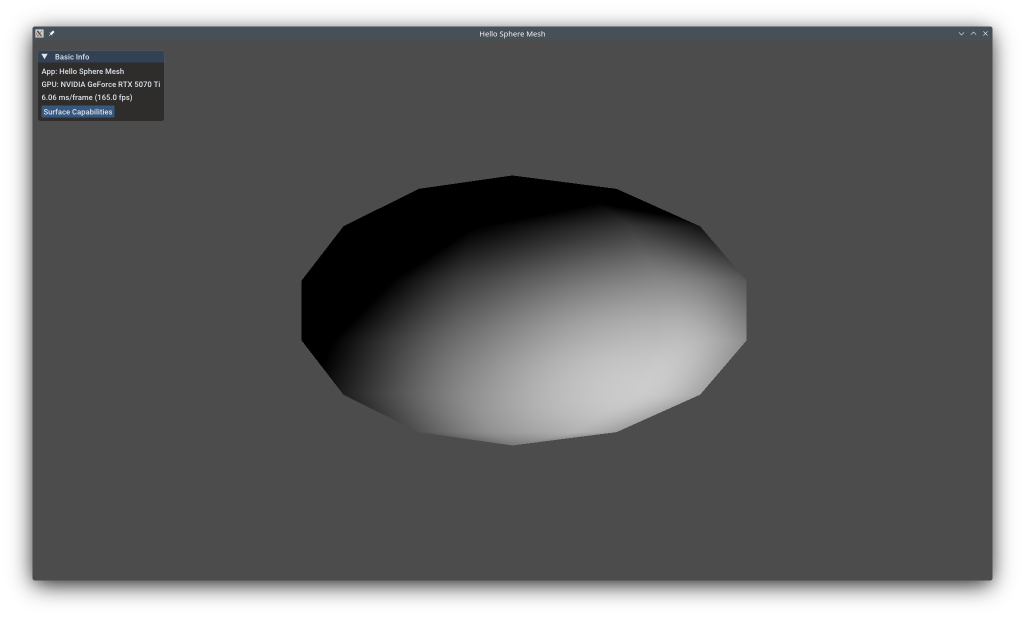
This example shows mesh shaders, the modern replacement for vertex+geometry+tessellation shaders. Mesh shaders generate geometry directly on the GPU using a compute-like programming model, processing groups of triangles ("meshlets") in parallel. This enables advanced techniques like GPU-driven culling, LOD selection, and procedural geometry while being significantly more efficient than geometry shaders. The example procedurally generates a sphere entirely on the GPU.
The example uses the KDGpuExample helper API for simplified setup.
Overview
What this example demonstrates:
- Enabling VK_EXT_mesh_shader extension
- Creating mesh shader pipelines (no vertex input state)
- Dispatching mesh shader workgroups with drawMeshTasks
- Generating vertices and primitives in mesh shader
- Procedural geometry generation on GPU
Use cases:
- GPU-driven rendering (culling, LOD)
- Procedural geometry (spheres, terrain)
- Geometry amplification
- Modern rendering pipelines
- Replacing geometry shaders (much faster)
Vulkan Requirements
- Vulkan Version: 1.0+ with extension
- Extensions: VK_EXT_mesh_shader
- Features:
meshShader,taskShader(optional) - Limits: Check
maxMeshOutputVertices,maxMeshOutputPrimitives
Key Concepts
Traditional Pipeline:
1 2 3 4 5 6 7 | |
Problems:
- Geometry shaders are slow (serialized processing)
- Limited control over geometry processing
- Poor GPU utilization
Mesh Shader Pipeline:
1 2 3 4 5 | |
Benefits:
- Compute-like parallelism (workgroups)
- Direct control over output
- Much faster than geometry shaders
- Enables GPU-driven rendering
Spec: https://registry.khronos.org/vulkan/specs/1.3-extensions/man/html/VK_EXT_mesh_shader.html
Meshlets:
Meshlets are small groups of triangles (typically 64-256 vertices, 128-384 triangles):
- Large meshes split into meshlets
- Each meshlet processed by one mesh shader workgroup
- Enables efficient GPU-driven culling per-meshlet
- Better cache locality
Mesh Shader Programming Model:
1 2 3 4 5 6 7 8 9 10 11 12 13 14 15 16 17 18 19 20 21 | |
Implementation
Loading Mesh Shader:
1 2 3 4 5 6 | |
Filename: hello_sphere_mesh/hello_sphere_mesh.cpp
Note ShaderStageFlagBits::MeshBit for mesh shader stage.
Mesh Shader Pipeline:
1 2 3 4 5 6 7 8 9 10 11 12 13 14 15 16 17 18 19 20 21 22 23 24 25 | |
Filename: hello_sphere_mesh/hello_sphere_mesh.cpp
Key differences:
- No vertex input state (no vertex buffers/attributes)
- Mesh shader replaces vertex shader
- Everything else similar to graphics pipeline
Dispatching Mesh Shader:
1 2 3 4 5 6 | |
Filename: hello_sphere_mesh/hello_sphere_mesh.cpp
drawMeshTasks() dispatches workgroups to mesh shader. Each workgroup generates one meshlet.
For this example: 1 workgroup generates entire sphere procedurally.
Performance Notes
Performance Gains:
- vs Geometry Shaders: 5-10× faster (parallel processing)
- vs Vertex Shaders: Comparable, but enables GPU-driven techniques
- GPU Culling: Can cull meshlets before rasterization
Best Practices:
- Meshlets: 64-256 vertices, 128-384 triangles (vendor-specific sweet spot)
- Use task shaders for coarse culling before mesh shader
- Keep mesh shader simple (expensive stage)
- Pre-compute meshlet data offline when possible
Hardware Support:
- NVIDIA: Turing+ (RTX 2000+), excellent support
- AMD: RDNA 2+ (RX 6000+), good support
- Intel: Arc series, good support
- Mobile: Limited; check vendor documentation
See Also
- Wireframe Geometry Shader - Geometry shaders (older technique)
- Mesh Shaders Guide - Official Vulkan guide
- NVIDIA Mesh Shaders - Turing architecture
Further Reading
- Nanite - UE5 Nanite using meshlets
Updated on 2026-10-16 at 00:01:13 +0000